Blog Schema: How to Add Structured Data to Your Blog Posts
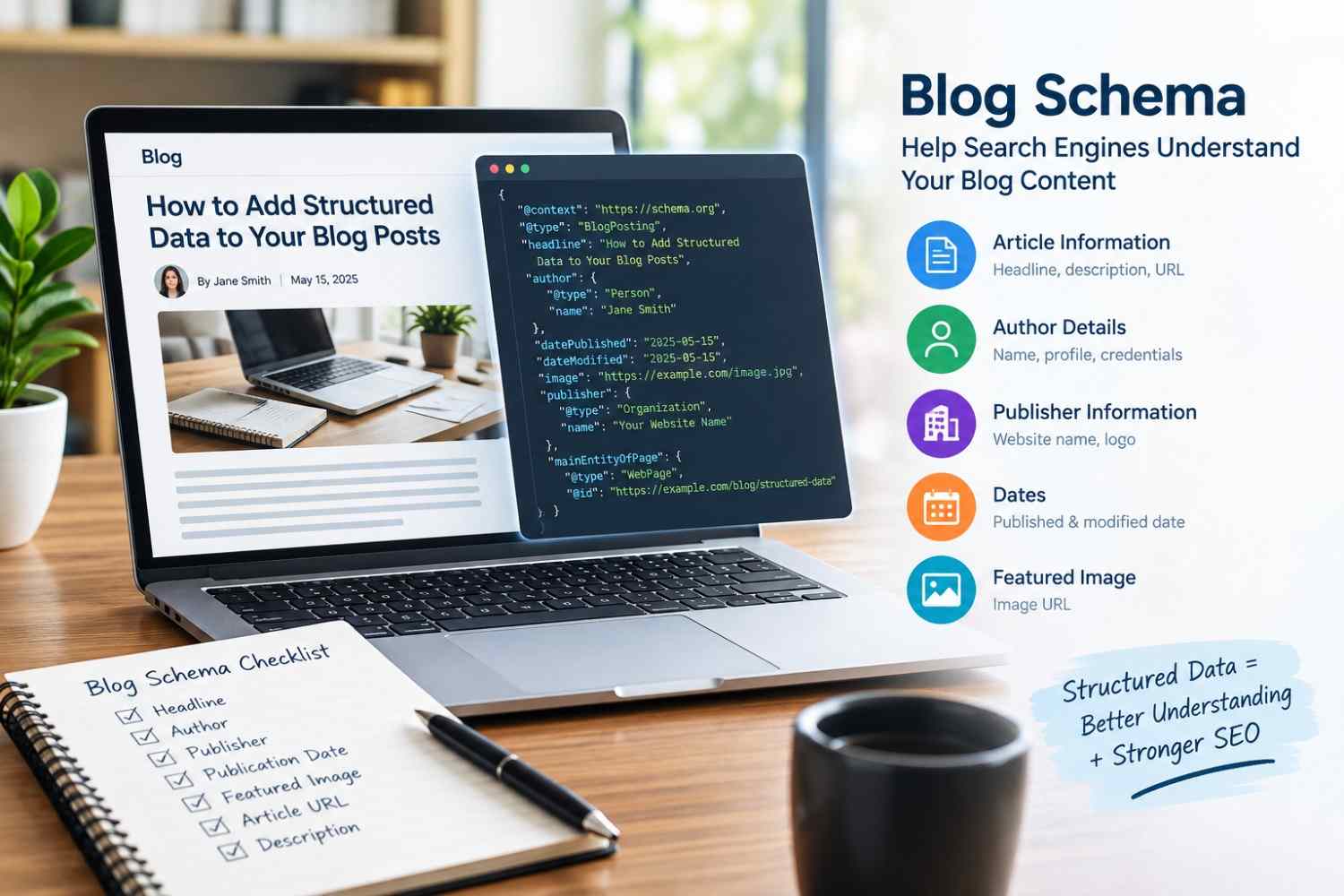
Publishing useful blog content is only part of a successful SEO strategy. Search engines also need to understand what each piece of content represents, who created it, when it was published, and how it relates to your website. Blog schema helps communicate these details through structured data.
For U.S. businesses, publishers, bloggers, and content-driven websites, implementing appropriate schema can make it easier for search engines to interpret blog posts and connect important information about the content.
What Is Blog Schema?
Blog schema is structured data that provides search engines with additional information about a blog post. It is generally implemented using Schema.org vocabulary and JSON-LD, a format that keeps structured data separate from the visible page content.
For a typical blog article, relevant information may include:
- Article headline
- Author
- Publisher
- Publication date
- Modified date
- Featured image
- Article URL
- Main content description
The specific properties you use should accurately represent the content displayed on the page. Schema should provide context rather than information that is not supported by the actual article.
If you are new to structured data, our guide to what schema markup is explains the fundamentals and common use cases.
Why Is Blog Schema Important for SEO?
Search engines can often identify a blog post without structured data, but schema provides a standardised way to describe the page and its important entities.
For example, a blog article may contain an author name, publishing date, headline, and image. With appropriate structured data, these details can be explicitly associated with the article rather than requiring search engines to infer every relationship from the page.
Blog schema can therefore support better content understanding and help search engines process information about your articles.
Keep in mind that schema markup can improve content understanding, but it does not automatically lead to higher search rankings or enhanced search appearances. Search engines determine whether structured data is eligible for enhanced search features based on their own guidelines and other signals.
BlogPosting vs Article Schema
One important consideration is choosing the appropriate schema type.
Article is a general schema type that can describe editorial content, while BlogPosting is a more specific type intended for blog posts. The most suitable schema type should be selected based on the purpose and format of your content.
Our Article Schema Generator supports Article, BlogPosting, and NewsArticle markup, allowing website owners to create structured data that matches their content format.
For a standard company blog, BlogPosting can be a suitable choice when the page clearly represents a blog post.
What Information Should Blog Schema Include?
A strong implementation should focus on accurate and useful properties. Common fields include the headline, author, publisher, image, datePublished, dateModified, and URL.
Author information is particularly useful when your website publishes content under identifiable writers. Make sure the author shown in your markup corresponds with the author information presented on the page.
Dates should also remain accurate. If you substantially update an article, update the dateModified value rather than using an arbitrary date simply to make the content appear newer.
For websites using JSON-LD, our JSON-LD guide explains how this structured data format works and why it is commonly used for schema implementation.
How to Add Blog Schema
Adding blog schema generally involves three steps:
- Choose the appropriate schema type based on your content.
- Generate the JSON-LD using accurate information from the article.
- Validate the markup before and after publishing.
You can follow our guide on how to add schema markup for implementation instructions across different website platforms.
Avoid creating duplicate or conflicting Article and BlogPosting markup. If an SEO plugin or website theme already generates structured data, check the existing implementation before adding another schema block.
How to Validate Blog Schema
Validation helps identify missing properties, incorrect values, and formatting problems before they affect your implementation.
After generating your markup, use the Schema Markup Validator to check the structured data. You can then use Google's Rich Results Test where applicable to evaluate eligibility for supported search features.
Most importantly, make sure every marked-up detail reflects information that users can actually find on the page.
Final Thoughts
Blog schema provides search engines with structured information about your blog content, including its headline, author, publisher, dates, and other relevant details. When implemented accurately, it can strengthen the technical foundation of a content-focused SEO strategy.
For U.S. businesses and publishers, the best approach is to use the schema type that genuinely matches each article, keep author and publication information accurate, avoid duplicate markup, and validate your implementation regularly.