Contact Page Schema: How to Add ContactPage Structured Data
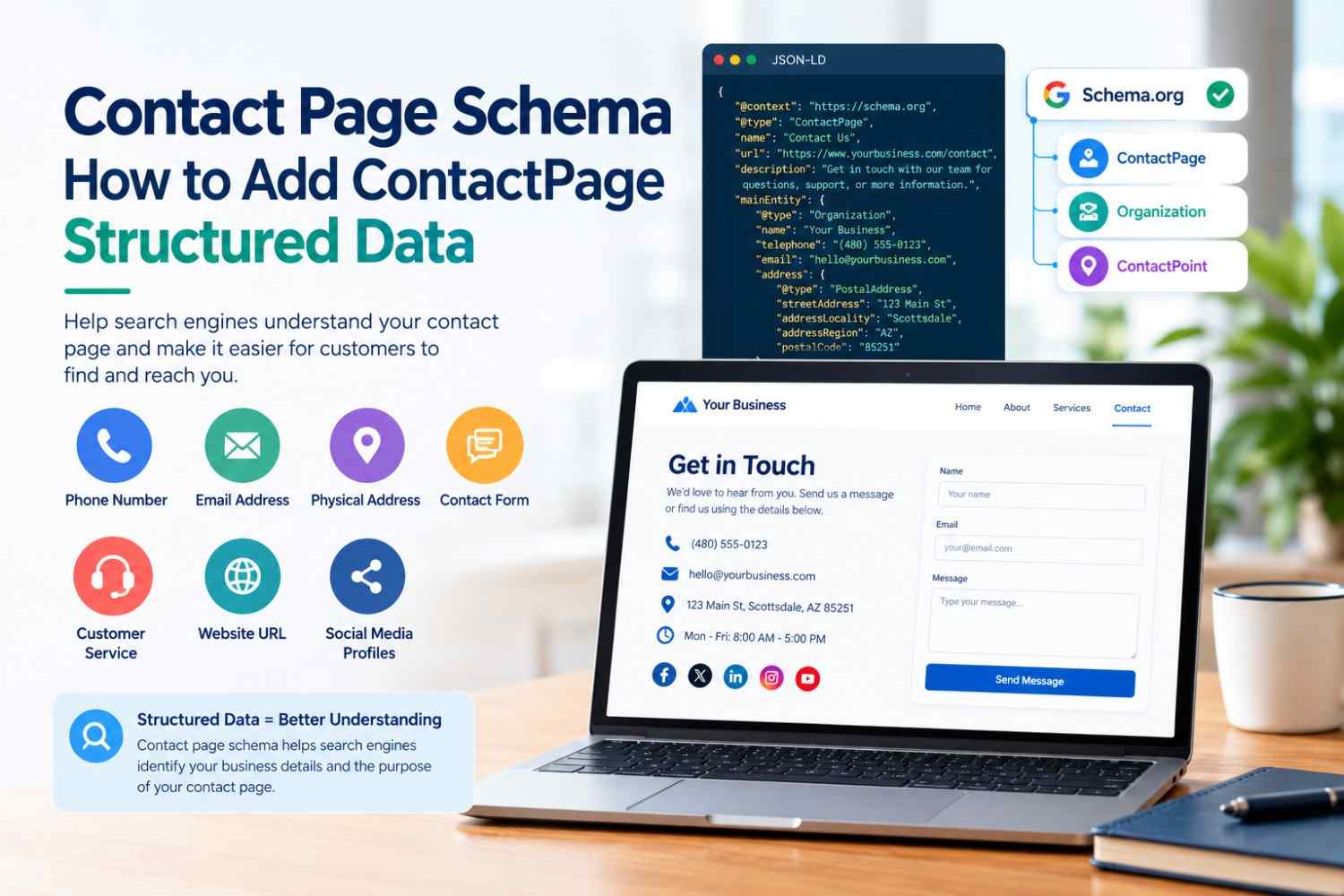
A contact page is an important part of almost every business website. It tells visitors how to reach a company, but it can also provide useful information to search engines. Contact Page Schema helps describe a contact page using structured data, so search engines can better understand the page's purpose and the information it contains.
For businesses that want their website information to be clearly organised for search engines, using the appropriate Schema.org types can be part of a broader structured data strategy.
What Is Contact Page Schema?
Contact Page Schema refers to structured data that describes a webpage specifically designed for contacting an organisation or business.
Schema.org provides the Contact Page type for pages whose primary purpose is providing contact information. It can be used as part of a larger structured data graph that connects the contact page with an organization, business, website, or other relevant entities.
A contact page may include information such as:
- Business name
- Phone number
- Email address
- Physical address
- Contact form
- Customer service details
- Business website
- Social media profiles
The important point is that structured data should accurately represent the information available to visitors on the page.
Why Is Contact Page Schema Important?
Search engines crawl millions of webpages, so providing structured information can make it easier for them to understand relationships between different entities and pages.
Contact Page Schema can help communicate that a particular URL is intended specifically for contacting an organisation.
However, adding schema markup does not automatically improve rankings or guarantee a special search result. Structured data primarily helps search engines interpret page content and can support eligibility for certain search features when applicable.
For a broader introduction, you can read this guide on what schema markup is.
What Information Should Contact Page Schema Include?
The exact properties you use depend on the page and the entity being described. Commonly useful information may include:
Contact Information
Make sure the phone number, email address, and other contact details in the markup match the information visible on the webpage.
Organization Information
If the contact page belongs to a company, connecting the page to an Organization or appropriate business entity can help establish the relationship between the webpage and the organization.
Website URL
The url property can identify the relevant webpage and help clearly associate the structured data with the page being described.
Contact Points
For organizations with different departments or customer-service channels, ContactPoint can describe specific ways customers can get in touch.
For example, a business might have separate contact information for:
- Customer support
- Sales
- Technical support
- General inquiries
ContactPage vs. Organization Schema
These schema types serve different purposes.
Contact Page describes the webpage itself, while Organization describes the organization represented by the website.
For example:
- A contact page can use ContactPage.
- The company can be represented using Organization.
- A local company may use an appropriate LocalBusiness subtype.
- A breadcrumb trail can use BreadcrumbList.
Using the correct type for each piece of information is more useful than adding multiple unrelated schema types.
You can explore additional options with the types of schema markup guide.
How to Add Contact Page Schema
Structured data can be added manually or with a schema generator.
A simple workflow is:
- Identify the purpose of the page.
- Choose the appropriate Schema.org type.
- Create the JSON-LD markup.
- Add it to the contact page.
- Make sure the information matches the visible content.
- Validate the structured data.
- Check the live page after publishing.
Google recommends JSON-LD as a practical format for structured data, and it can be added without modifying the page's visible content. You can learn more in this guide to JSON-LD structured data.
Validate Your Contact Page Schema
Validation is an important step before publishing structured data. A small formatting error or incorrect property can prevent search engines from properly processing your markup.
You can use a Schema Markup Validator to check your JSON-LD and identify errors or missing information.
After implementation, review the live page and make sure:
- Contact details are exact.
- The URL matches the actual contact page.
- Markup describes visible information.
- There are no duplicate or conflicting schema blocks.
- The JSON-LD is valid.
For a step-by-step implementation process, see how to add schema markup to your website.
Final Thoughts
Contact Page Schema provides a structured way to identify a webpage whose primary purpose is to help visitors contact an organisation. When implemented correctly, it can make the relationship between a contact page and the organisation clearer to search engines.
The most important rule is accuracy. Use appropriate Schema.org types, keep contact information consistent with the visible page, avoid unnecessary properties, and validate your JSON-LD before publishing. Structured data works best as part of a complete technical SEO strategy rather than as a standalone ranking technique.