Service Schema: How It Works & How to Add It in 2026
If your business offers services — whether you're an HVAC contractor, a law firm, a marketing agency, or a plumber — there's a good chance your website has individual service pages. But does Google fully understand what those pages are about? That's exactly where service schema comes in.
What Is Service Schema?
Service schema is a type of structured data based on the schema.org/Service vocabulary. It tells search engines, in a machine-readable format, that a specific page describes a service, what that service is, who provides it, where it's available, and more.
Think of it as a label you attach to your page that says: "This isn't just any page. It's specifically about a landscaping service offered in Dallas, Texas." Without it, search engines have to infer that context from your content alone.
How Service Schema Markup Works
Structured data doesn't change how your page looks to visitors. It lives in the page's HTML — typically inside a <script> tag — and is written in a format called JSON-LD, which is Google's recommended implementation method.
When a search engine crawls your page, it reads that JSON-LD block and maps the information to known entities: Service, Organization, Offer, areaServed, and so on. This process helps search engines build a more accurate understanding of your content and the entity behind it.
Importantly, adding service schema does not guarantee higher rankings or rich results. Google doesn't currently support a dedicated Service rich result type. But structured data still contributes to how confidently search engines can interpret your page — and that has real value for visibility, especially in AI-powered search systems like Google's Search Generative Experience, Bing Copilot, and Perplexity.
What Information Can Service Schema Include?
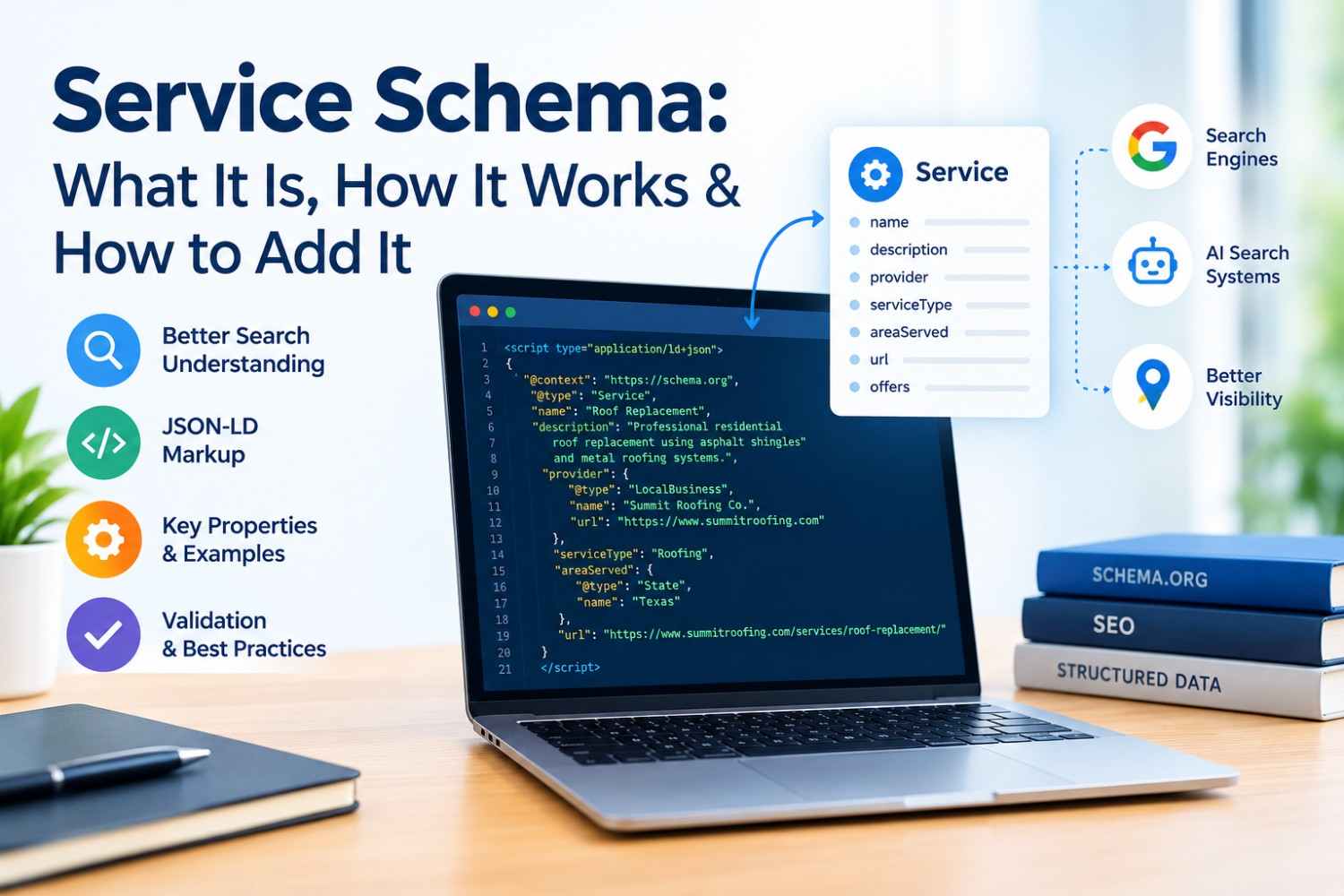
The Service type from schema.org supports a fairly broad set of properties. The most useful ones for service businesses include:
- @type — Always set to Service
- name — The name of the service (e.g., "Roof Replacement")
- description — A brief description of what the service involves
- provider — Links to the business providing it (usually an Organization or LocalBusiness)
- serviceType — A short label like "Plumbing" or "Tax Preparation"
- areaServed — Geographic area where the service is available
- url — The canonical URL of the service page
- offers — Pricing details, if available
You don't need to use every property — just the ones that are accurate and genuinely reflect what's on the page.
Who Should Use Service Schema?
Any business that has dedicated pages for individual services should consider implementing service schema. This includes:
- Roofing and HVAC companies
- Plumbers and electricians
- Dentists and medical practices
- Law firms and accounting firms
- Digital marketing agencies
- Home renovation contractors
If you have a single "Services" page listing everything you offer, structured data becomes less straightforward. Service schema works best when each service has its own dedicated page with enough content to support the markup.
Service Schema vs. LocalBusiness Schema
These two types are often confused, and for good reason — they're closely related but serve different purposes.
LocalBusiness schema describes your business as an entity: its name, address, phone number, hours, and general category. If you haven't already set this up, the local business schema generator on this site makes it straightforward to do so.
Service schema describes a specific service your business provides. You'll typically use both — LocalBusiness on your homepage or contact page, and Service markup on individual service pages, with the provider property pointing back to the business entity.
They complement each other rather than compete.
How to Add Service Schema Using JSON-LD
Here's a simplified example of what service schema JSON-LD looks like for a roofing company:
<script type="application/ld+json">
{
"@context": "https://schema.org",
"@type": "Service",
"name": "Roof Replacement",
"description": "Professional residential roof replacement using asphalt shingles and metal roofing systems.",
"provider": {
"@type": "LocalBusiness",
"name": "Summit Roofing Co.",
"url": "https://www.summitroofing.com"
},
"serviceType": "Roofing",
"areaServed": {
"@type": "State",
"name": "Texas"
},
"url": "https://www.summitroofing.com/services/roof-replacement/"
}
</script>
Place this block in the <head> or <body> of your service page. If you're on WordPress, check the guide on adding schema markup to WordPress for platform-specific instructions.
Common Service Schema Mistakes
A few things to avoid:
- Marking up services that don't have their own page — Only add service schema to pages with sufficient, relevant content about that service
- Inaccurate areaServed values — Don't claim to serve areas you don't actually operate in
- Omitting the provider property — Without it, search engines can't tie the service back to a known business entity
- Copying the same markup across multiple pages — Each service page should have unique, accurate markup
How to Validate Your Service Schema
After implementing your markup, always test it. Google's Rich Results Test and the Schema Markup Validator are both reliable options. For a quick validation without leaving this site, use the Schema Markup Validator. It checks your JSON-LD for errors and flags any properties that might be missing or malformed.
Look for errors (which break parsing) and warnings (which indicate suboptimal implementation). Fix errors first.
Frequently Asked Questions
What is service schema? Service schema is structured data based on the schema.org Service type. It's added to a webpage — typically via JSON-LD — to help search engines understand that the page describes a specific service, who offers it, where it's available, and related details. It's especially useful for businesses with multiple dedicated service pages.
Does service schema improve Google rankings? Not directly. Service schema helps search engines better interpret your page's content and entity relationships, but it isn't a ranking signal in the traditional sense. That said, clearer page understanding can indirectly support how your content performs in both traditional search and AI-powered search experiences.
What's the difference between Service Schema and LocalBusiness Schema? LocalBusiness schema describes your business as a whole: name, address, phone, and hours. Service schema describes a specific service your business offers. The two work together: use LocalBusiness on your main business page and Service schema on individual service pages, with the provider property linking them.
Can I add service schema with JSON-LD? Yes — and it's the recommended approach. JSON-LD is a script-based format that doesn't require you to modify your existing HTML. You add a <script type="application/ld+json"> block containing structured data that search engines read during crawling without affecting how the page looks to visitors.
How do I check if my service schema is valid? Use Google's Rich Results Test, the Schema.org validator, or a dedicated tool like the Schema Markup Validator to test your implementation. Paste your page URL or the raw JSON-LD code to check for syntax errors, missing required properties, and other issues.
Service pages are often the highest-converting pages on a service business website. Giving them the structured data context they deserve is a small investment that helps search engines — and increasingly, AI systems — represent your services accurately. Get the markup right, validate it, and keep it up to date as your offerings change.